Skip to content

Send the footage.Get it back finished.

It chooses the takes, cuts the pauses, colours the picture, cleans the sound and captions the words.
The composer: a place to drop your footage, a note to your editor, and the look to cut it in.

Trusted by teams at

Customer logos are placeholders. No company appears here until they have agreed in writing.

Your take, as words

Find any moment by saying it
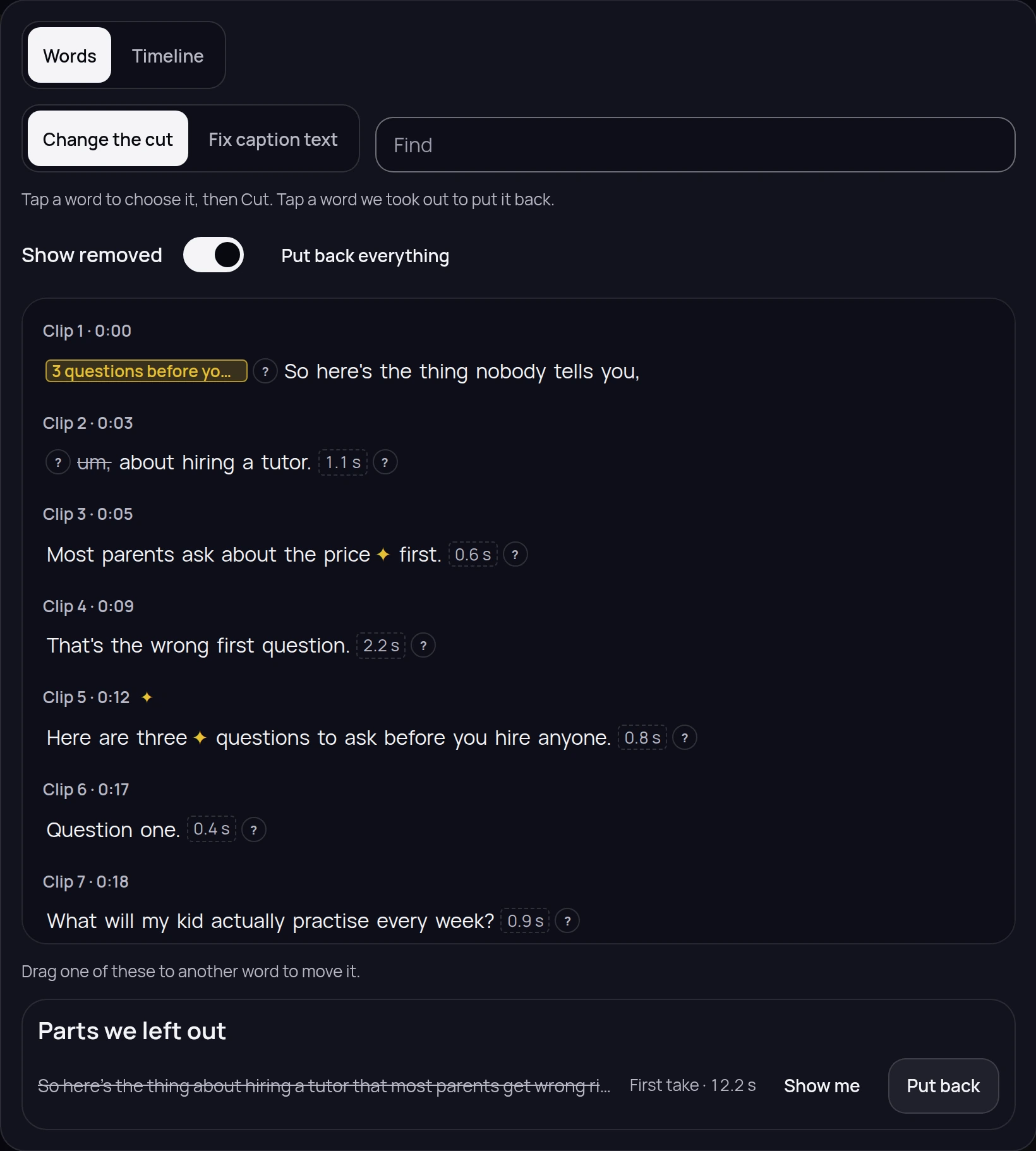
Your take comes back as text. What we took out is struck through where it was said, the pauses are measured beside it, and one button puts any of it back.
See how the cut is made
The editor showing a take as words, clip by clip: a filler word struck through where it was said, the length of each pause beside it, a why button on every change, and the parts left out gathered at the foot with a way to put them back.

The whole video at once

Change every clip in one go
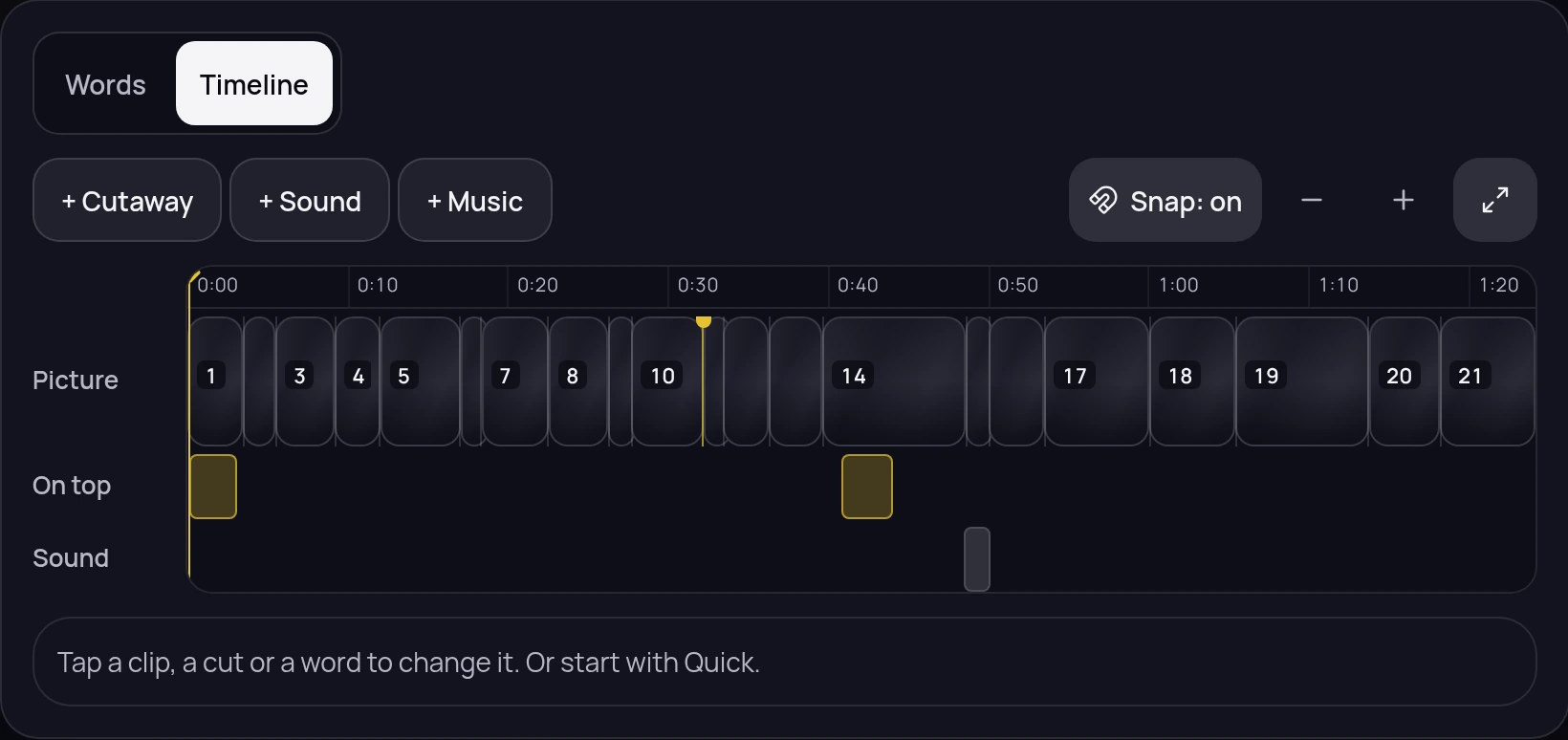
Nobody wants to make the same change on forty clips by hand. Say it once and it lands on the whole video - the pace, the colour, the sound, what is on screen.
See everything it changes
The editor's timeline on a finished order: a Words and a Timeline tab, buttons to add a cutaway, a sound or music, snapping on, and the take laid out as numbered clips on a Picture row with blocks on the rows for what sits on top and underneath.

Nothing to learn

No editing app to open
You are not an editor, and you should not have to become one. Say what you want changed in plain words, or move it yourself on a timeline that works the way you would expect.
What you can change
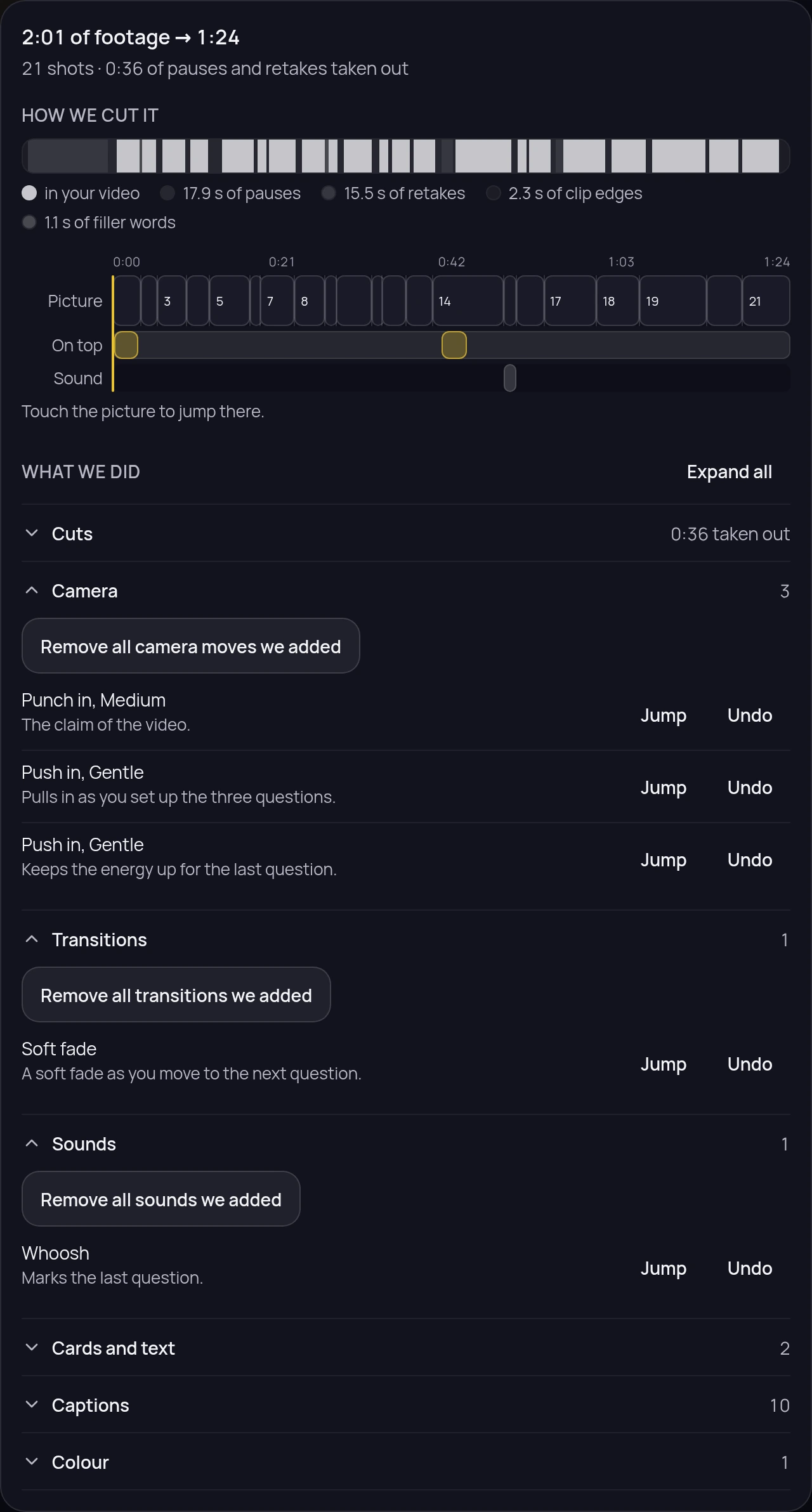
What the edit did to this video: a bar showing which of the footage is in the video and what came out of it keyed by why, the finished video as Picture, On top and Sound with the shots numbered, then every change by group with its reason and a Jump and an Undo.

Everything the editor does

The take as words

Read the cut instead of scrubbing it. Touch a word to take it out, touch it again to put it back.

The editor showing a take as words, clip by clip: a filler word struck through where it was said, the length of each pause beside it, a why button on every change, and the parts left out gathered at the foot with a way to put them back.

Send it in a minute

Drop the footage, say what you want in plain words, pick the look. That is the whole brief.

The composer: a place to drop your footage, a note to your editor in plain words, and the look to cut it in.

Every change, with the reason

What came out of your footage and why, then the finished video as Picture, On top and Sound.

What the edit did to this video: a bar showing which of the footage is in the video and what came out of it keyed by why, the finished video as Picture, On top and Sound with the shots numbered, then every change by group with its reason and a Jump and an Undo.

The change log

Every operation the edit made, in order, with one line of why beside each of them.
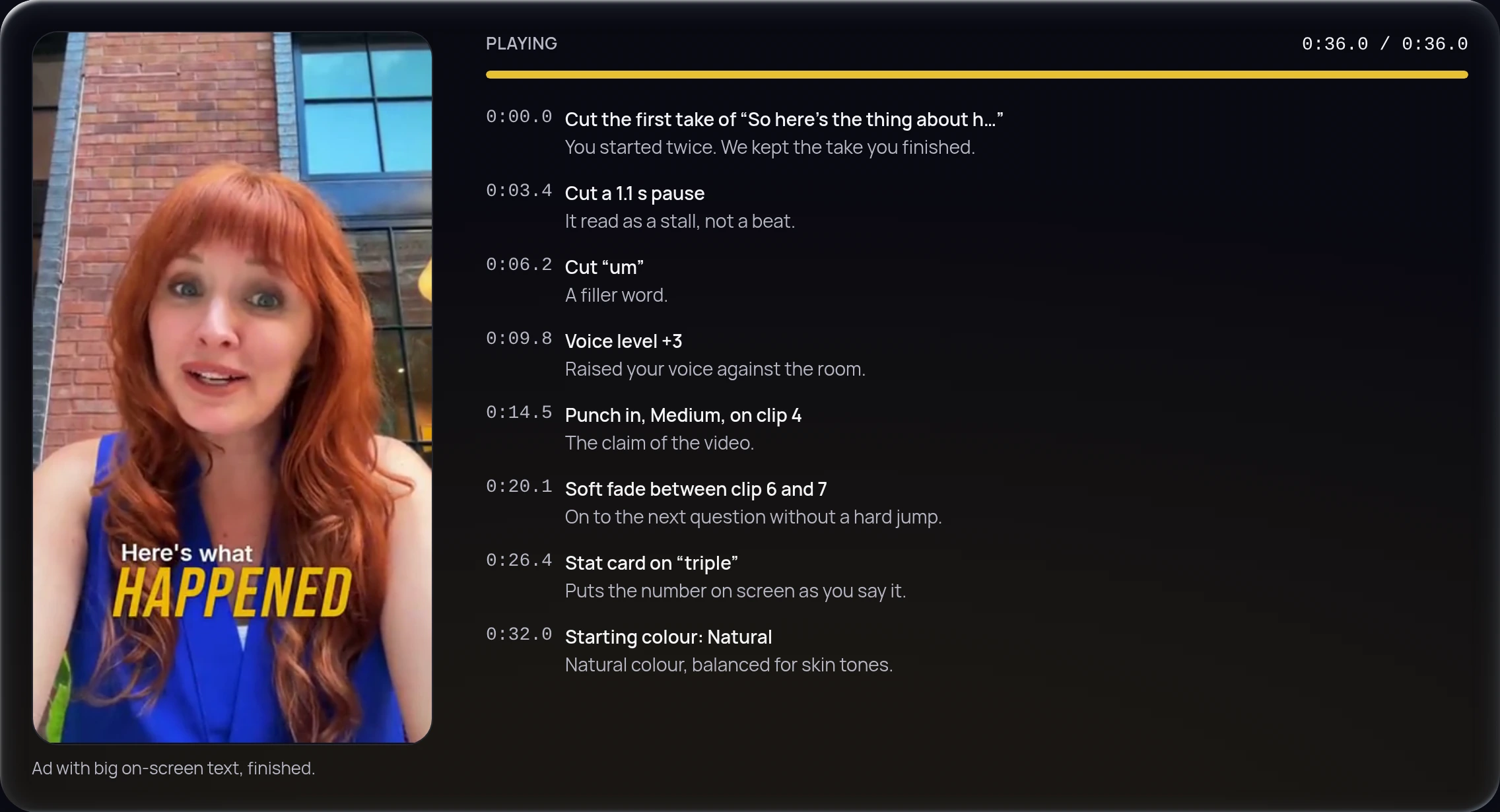
The change log: every operation the edit made listed in order with one line of why beside it, a playhead at the end of the take, and a finished vertical edit playing beside the list.

A date you can plan around

  • A date, not a promise about speed
  • 2 rounds of changes included
  • Your files kept 30 days

Your date is set before you spend a credit.

The date has room built into it, so it usually arrives before then rather than after.

Why that date

What it costs

A plan gives you credits. A video uses them by the minute.

Set credits for every started minute you send, one minute minimum. You see the total first.

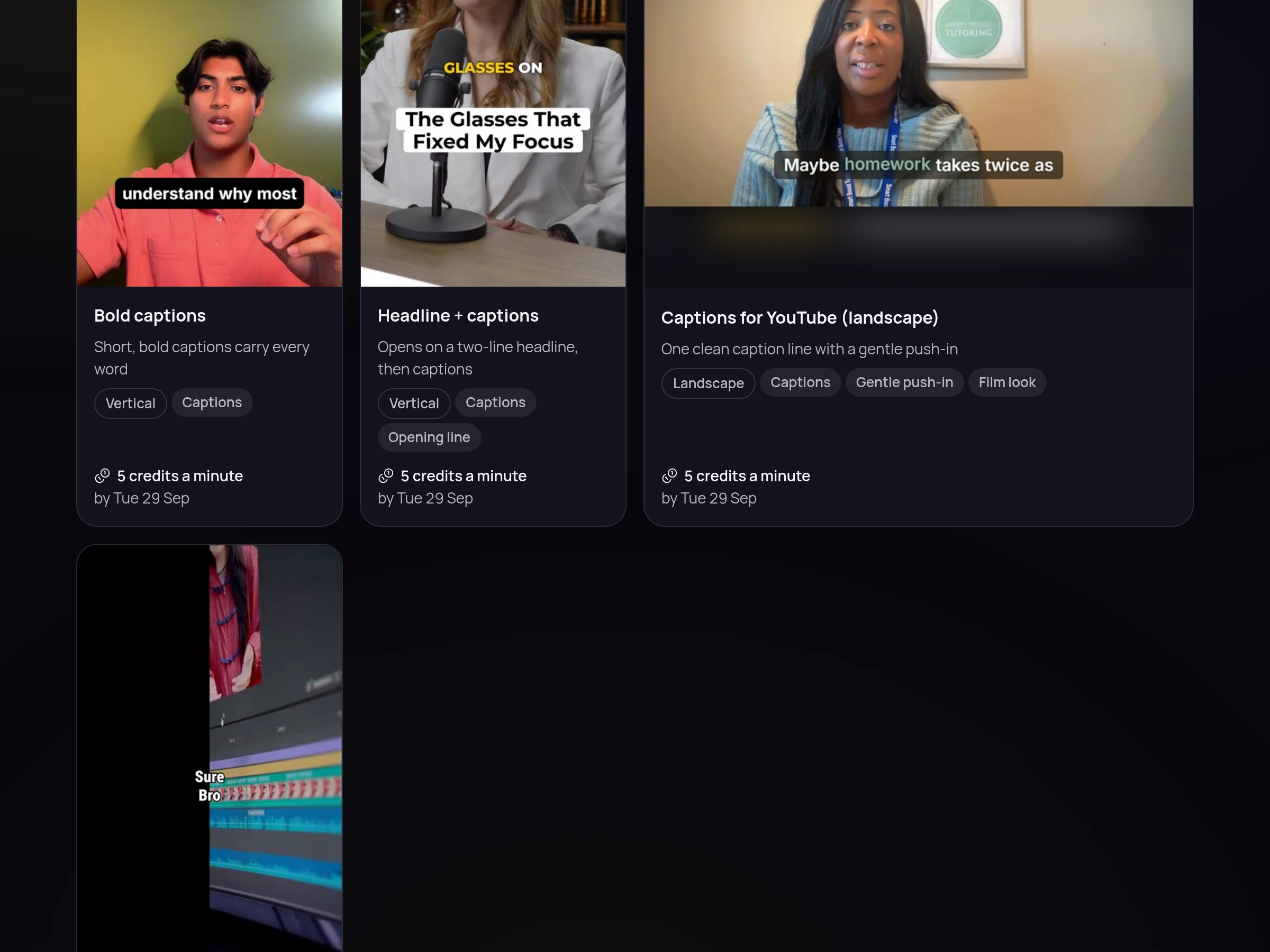
  • Clean Edit

    Mistakes and pauses out, colour and sound fixed

    5 credits a minute

    Your date is on the order, before you spend a credit.

  • Captions

    Clean Edit plus captions that follow your voice

    5 credits a minute

    Your date is on the order, before you spend a credit.

  • Branded

    Captions plus your logo, colours and cards

    15 credits a minute

    Your date is on the order, before you spend a credit.

  • Ad-Ready

    Branded plus big on-screen text, built for paid ads

    30 credits a minute

    Your date is on the order, before you spend a credit.

You get a date and a time, never a promise about speed. These assume you start now; your own date is on the order before you spend a credit. Why that date

Plans

Credits arrive monthly and roll over for 1 month. Cancel in one click.

  • Starter

    $20a month

    150 creditsevery month

    Up to 30 minutes of Captions video a month, or 10 of Branded

  • Growth

    $50a month

    450 creditsevery month

    Up to 90 minutes of Captions video a month, or 30 of Branded

  • Pro

    $100a month

    900 creditsevery month

    Up to 180 minutes of Captions video a month, or 60 of Branded

US dollars, plus tax where it applies

2 rounds of changes are included on every edit and use no credits. See the full pricing

Look